
Copy/Move to other server
-
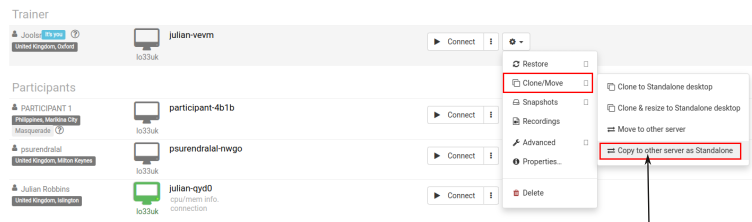
After finish preparation, "Stop" the standalone desktop first. Click action and select "Copy to other server"
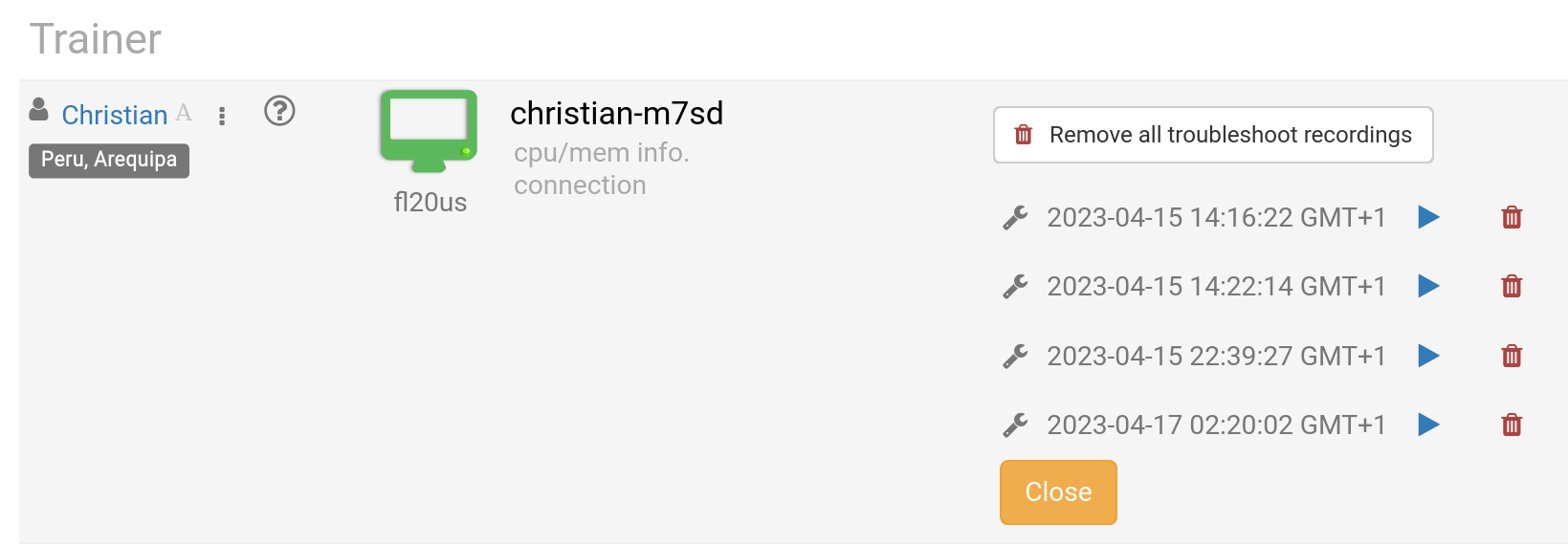
Course recordings of the Trainer's Desktop, or the Training Room (if this is used during the Course) are made automatically during the course.
Press the red-button again to stop the recording.
Recordings can be removed by the Trainer as required. Troubleshooting recordings are also made automatically when the course is being prepared, but are only used for troubleshooting course set-ups, if required.
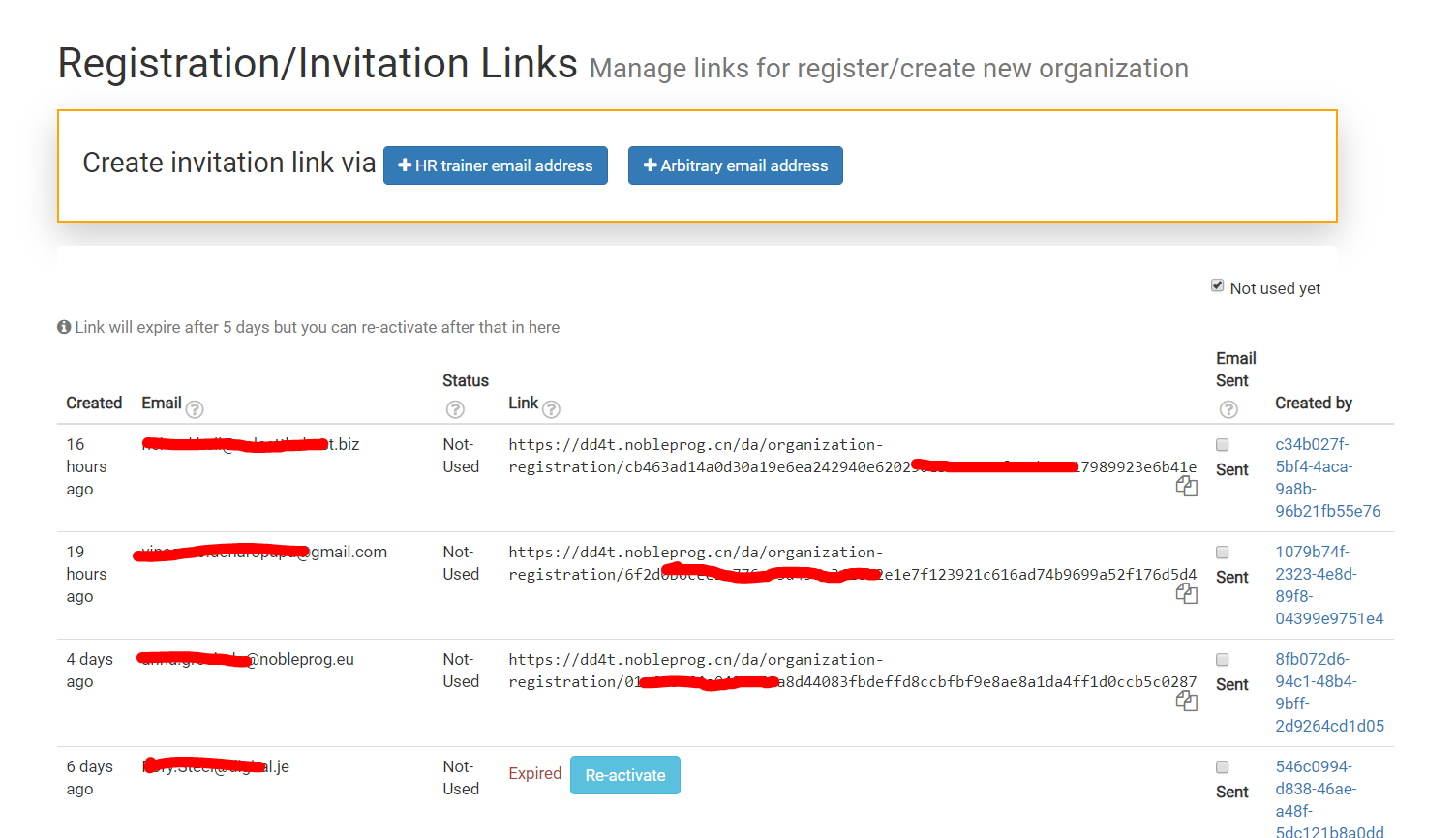
In order to invite people to join your virtual classroom, you can send invitation link.
Link expires after 5 days, but it can be reactivated if necessary.
DaDesktop allows one or more Trainers on its Online courses.
There are multiple ways of assigning trainers to a course:
In order to assign a trainer:
Training Room is a convenient way of joining a course.
It allows users to:-
In order to create Standalone Desktops:
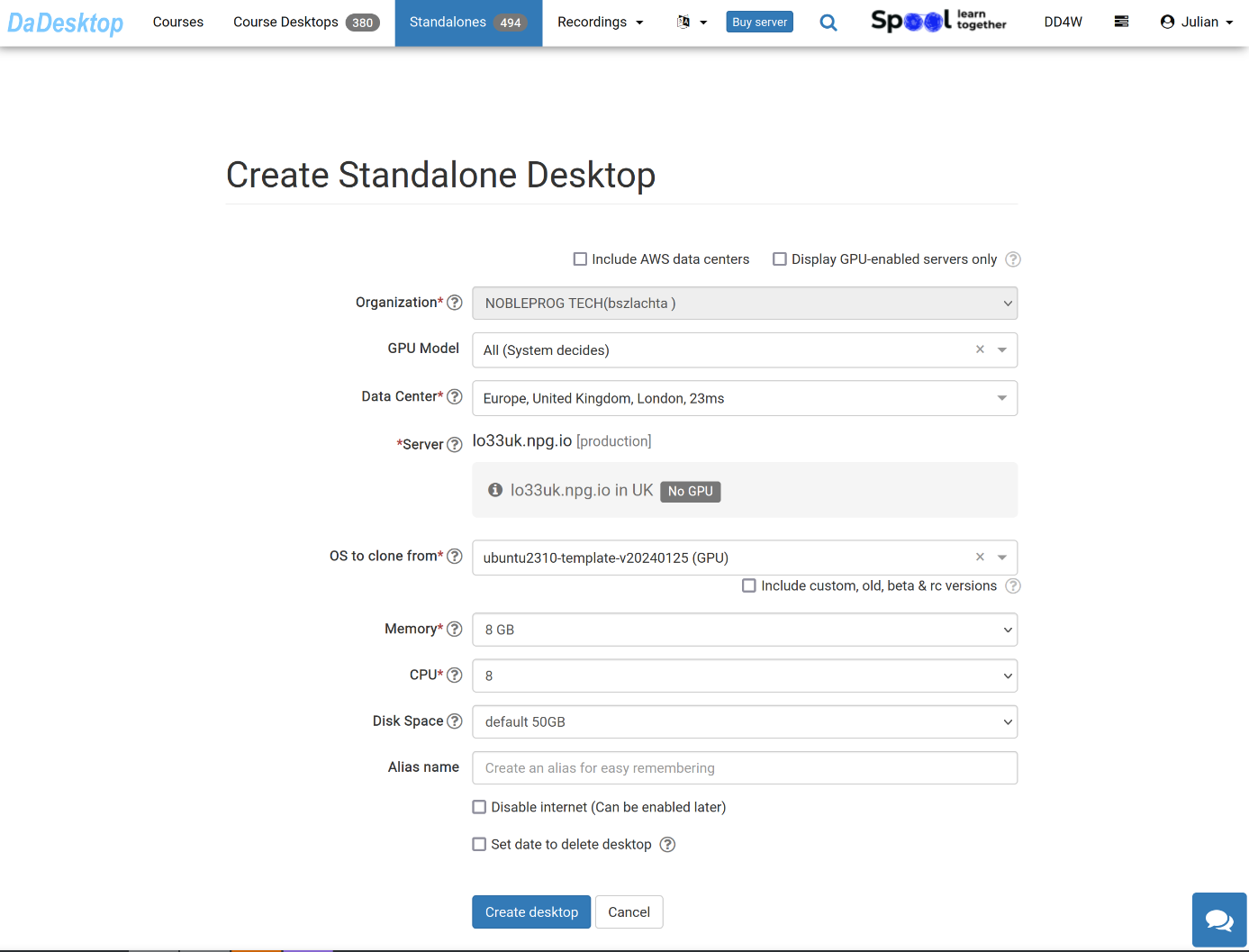
The meaning of each field is explained below:
DaDesktop Virtual Desktops provide an easy way to create online courses anywhere in the globe.
Please note : DaDesktop (DD) can now allow one or more trainers for its courses.
The trainers will each have their own login to DaDesktop, and can control the ‘Trainer Desktop’ as if it were their own.