
DaDesktop for Participants - Howto
Objective
This guide is aimed at participants (students) who wish to join a course hosted on DaDesktop.
This guide is aimed at participants (students) who wish to join a course hosted on DaDesktop.
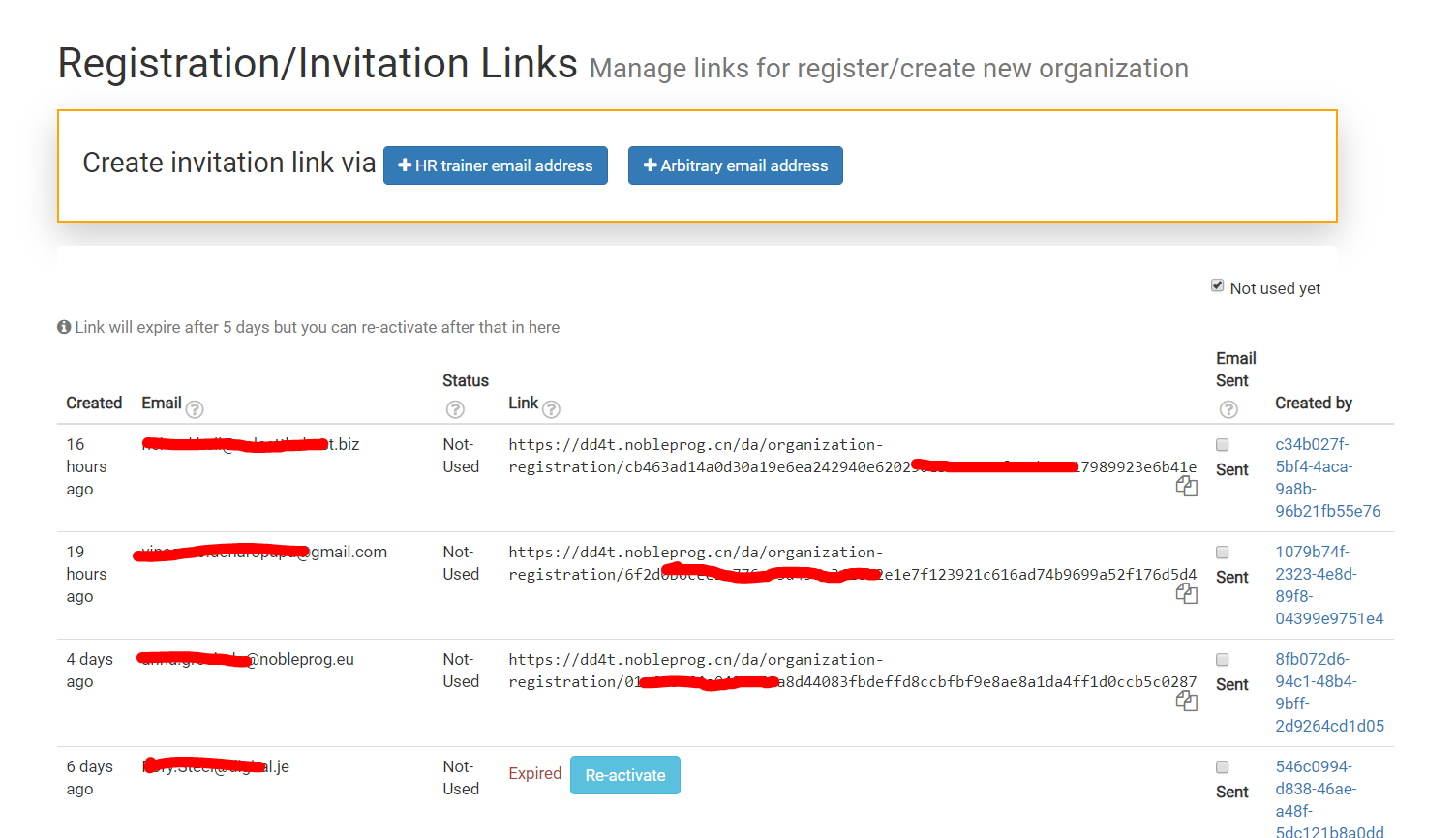
In order to invite people to join your virtual classroom, you can send invitation link.
Link expires after 5 days, but it can be reactivated if necessary.
DaDesktop allows one or more Trainers on its Online courses.
There are multiple ways of assigning trainers to a course:
In order to assign a trainer:
Each participant joining the course will have their own cloud desktop which will be exact clone of Fresh-start desktop prepared by the trainer.
Each virtual desktop is a separate and independent virtual machine with their own independent resources like CPU, memory and disk.
Whatever participant will do on their desktop will not effect other participants desktops.
The Cloud Desktops can be located on different servers or data centers around the globe. Please refer to Multi-region support for more details.
The purpose of Course Organization is to allow trainers to organize courses.
The system allows trainers to prepare the cloud desktop; delegates can clone desktops in less than a second.
This is a short list of some of the available cloud desktop features.
Though this list is informative, if you are about to use DaDesktop it might be better to use the trainer guide which will prepare you for a specific role.